

How NFC Business Cards Work in South Africa

One tap shares your contact details instantly. No app, no typing, no friction. Here’s exactly how NFC technology turns your business card into a networking tool that actually works.

Works on iPhone & Android

No App Needed

Updates Instantly

Never Runs Out

key features

What are NFC business cards?

NFC business cards are smart business cards that use Near Field Communication (NFC) technology to share your contact details instantly with a simple tap.
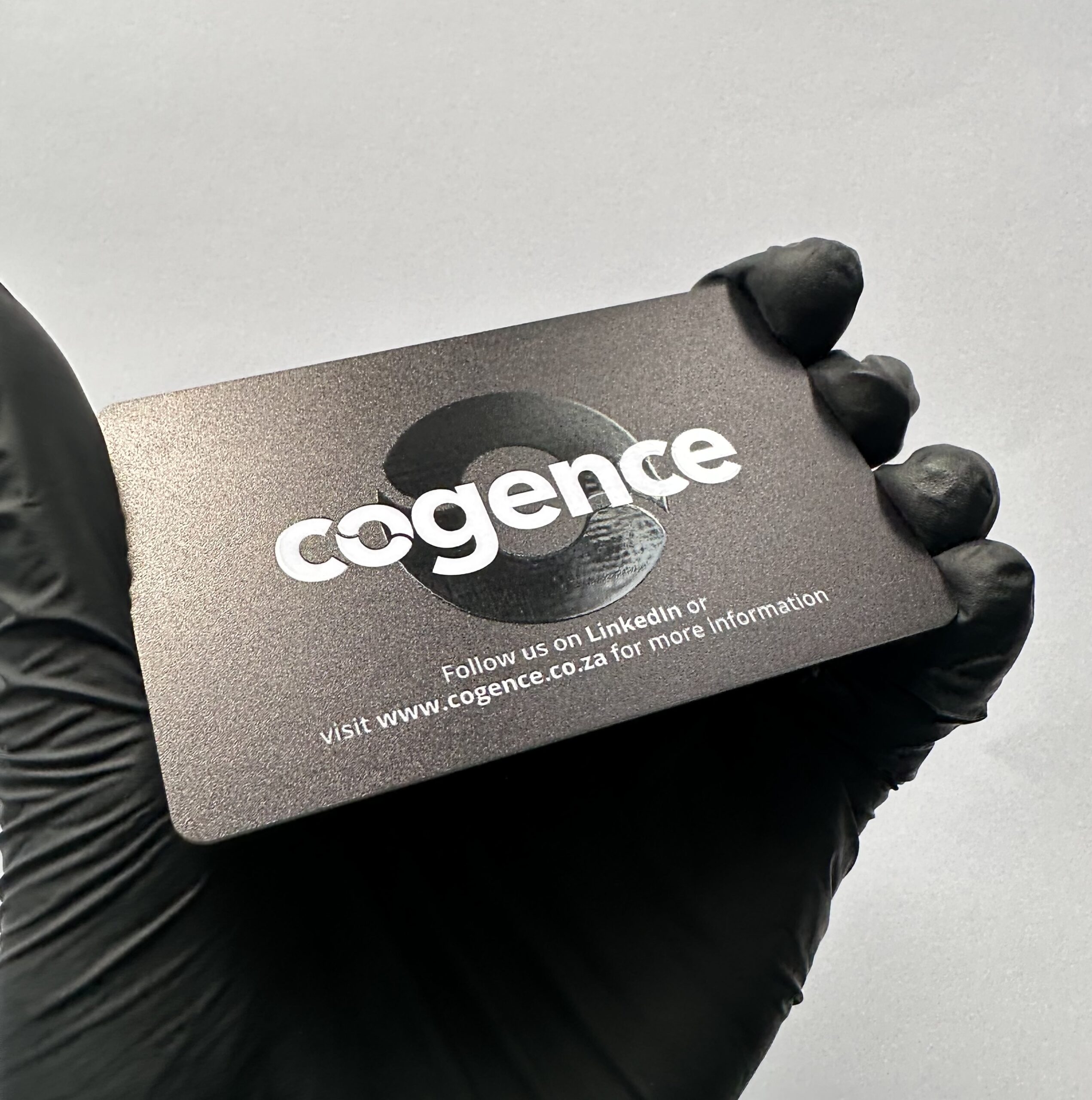
Instead of handing someone a paper card they’ll lose in their pocket, you tap your NFC card on their smartphone. Your digital business card opens automatically in their browser — no app download, no manual typing, no friction.

How it's different from paper cards?

Traditional paper cards require the recipient to manually type your details into their phone. Most people never do this — your card ends up in the trash.
NFC cards deliver your information directly to their phone with one tap. They save your contact instantly, bookmark your profile, and can come back to it anytime.

What makes them "smart"?

Your NFC card contains a tiny wireless chip (smaller than a grain of rice) that transmits a link when tapped on a phone. That link opens your digital business card profile with all your contact details, social media, website, portfolio — everything.
Update your job title? Change your phone number? Just update your profile online. The NFC card doesn’t change — it always points to your latest information.

The result

Higher contact-saving rates, professional first impressions, and connections that actually turn into conversations.

How it works

From tap to saved contact in 3 seconds. Here’s the complete process.
You tap your card
Hold your NFC business card near the back of their smartphone (within 4cm). The NFC chip inside your card activates instantly.
Works even if your phone is locked. No need to open an app or camera.
Link opens automatically
Their phone detects the NFC signal and automatically opens your digital business card link in their browser (Safari on iPhone, Chrome on Android).
No app download. No QR code scanning. No camera needed. Just instant access.
Your profile loads
Your full digital business card appears with everything they need:
They save your contact
Your full digital business card appears with everything they need:
One tap saves your complete contact information to their phone. Your details are now in their contacts app, next to their family and closest colleagues.
They can call, email, or WhatsApp you anytime. Your digital card stays bookmarked in their browser for future reference.
How NFC is different from Bluetooth or WiFi:
Security: NFC is designed for secure transactions. It’s the same technology banks trust for billions of contactless payments worldwide. Your business card data is transmitted directly from chip to phone with no intermediary server.
Contactless payments
Tap your credit card or phone to pay at stores, restaurants, and coffee shops. That’s NFC.
Public transport
Tap your card or phone to enter the subway, bus, or train. That’s NFC.
Access control
Tap your phone or card to unlock office doors, apartment buildings, or gym entry gates. That’s NFC.
Hotel room keys
Tap your phone to unlock your hotel room door (many hotels now support this). That’s NFC.

What is NFC technology?

The same wireless technology in your credit card and transit pass.
NFC stands for Near Field Communication. It’s a short-range wireless technology that lets devices communicate when they’re close together (within 4cm or about 1.5 inches).

Works on iPhone & Android

NFC is built into all modern smartphones. No app needed.

iPhone Compatibility

How it works on iPhone:
NFC is enabled by default on all iPhones from iPhone 7 onwards. There’s nothing to turn on or configure.
Your contact simply taps your NFC card on the top edge of their iPhone (near the camera). Safari opens automatically with your digital business card.
Just tap and share.

Android Compatibility

How it works on Android:
Most modern Android phones have NFC built-in, but it may need to be enabled in settings.
To enable NFC on Android
  1. Open Settings
  2. Go to Connected devices (or Connections)
  3. Look for NFC toggle
  4. Turn it ON
Once enabled, tap the NFC card on the back of the phone (center). Chrome opens automatically with your digital business card.
Which Android phones support NFC:

NFC vs QR Codes

Both work. NFC is faster and feels premium. QR is universal. We include both on every card.
Feature
NFC Cards
QR Code Cards
Speed
1 second (tap)
3-5 seconds (open camera, scan, focus)
User experience
One tap, hands-free
Open camera app, hold steady, wait for focus
Works in low light
✓ Yes (works in complete darkness)
✗ Struggles in dim lighting
Premium feel
✓ Feels like contactless payment (modern, seamless)
Standard (expected, not impressive)
Visual design
✓ Clean card, no visible code
QR code visible on card (less elegant)
Battery required
✓ Works even if your phone is off
✓ Recipient needs camera
App needed
✗ No app needed
✗ No app needed (camera app works)
Compatibility
iPhone 7+, Android 5.0+ (95% of smartphones)
Any phone with camera (100% of smartphones)
Tech familiarity
High (people tap to pay daily)
High (people scan QR codes often)
Use case
Best for in-person, professional networking
Best for printed materials, posters, signage
Feature
Speed
User experience
Works in low light
Premium feel
Visual design
Battery required
App needed
Compatibility
Tech familiarity
Use case
NFC Cards
1 second (tap)
One tap, hands-free
✓ Yes (works in complete darkness)
✓ Feels like contactless payment (modern, seamless)
✓ Clean card, no visible code
✓ Works even if your phone is off
✗ No app needed (camera app works)
iPhone 7+, Android 5.0+ (95% of smartphones)
High (people tap to pay daily)
Best for in-person, professional networking
QR Code Cards
Speed
1 second (tap)
3-5 seconds (open camera, scan, focus)
Open camera app, hold steady, wait for focus
✗ Struggles in dim lighting
Standard (expected, not impressive)
QR code visible on card (less elegant)
✓ Recipient needs camera
✗ No app needed (camera app works)
Any phone with camera (100% of smartphones)
High (people scan QR codes often)
Best for printed materials, posters, signage

What happens after the tap?

Most NFC cards stop at the tap. Ours keeps working long after the handshake.

Here’s where most NFC business card providers stop — they deliver your contact info, mission accomplished.

We go further. Your digital business card doesn’t just share your details. It keeps you visible, shareable, and memorable long after the initial tap.

They tap

They tap your NFC card on their phone. Your digital business card opens instantly with your contact info, photo, links, and WhatsApp button.

They save your contact

One tap saves your contact details to their phone. Your name, number, email, job title — all saved to their contacts app automatically.

You stay on their home screen

Your digital business card can be installed as an app icon on their home screen. It sits next to WhatsApp, Gmail, and Instagram — visible every time they unlock their phone. Most people check their phone 100+ times per day. Your profile is now in their line of sight, not buried in contacts.

They share you with others

Built-in referral sharing tools turn your clients into your distribution network. They can share your digital business card with colleagues, friends, and prospects with one tap. Your network grows exponentially — not just the people you meet, but the people they meet.

Free vCard + QR code with every card

Your NFC card works standalone — no monthly fees required
Every NFC business card and phone tag we sell includes a free vCard + QR code.

Want more features?

Upgrade to our digital business card (R49/month) to unlock:

What's included in your free vCard:

No monthly fees: Your NFC card works with the free vCard forever. Share your contact details as many times as you want, with no subscription.

What's a vCard?

A vCard is a digital contact file. When someone taps your NFC card, it offers to save your contact information directly to their phone — name, phone number, email, company, website.
One tap = saved contact.
No typing, no errors, no app required.

Start basic, upgrade later

The hardware (NFC card or tag) works forever. Add digital features when you’re ready.

How to set up your NFC card

Three simple steps. Takes 2 minutes.

Choose your format:
• Generic NFC phone tag (R199) — Ships within 48 hours
• Custom NFC card (R499) — Your logo, ships in 5-7 days
• Custom NFC phone tags (R99/unit, min 10) — Your logo, ships in 7-10 days

All orders include free South Africa delivery with tracking.

What you'll receive:
• Your NFC card or phone tag (with a chip inside)
• QR code backup (printed on card)
• Setup instructions (link + QR code)
• Packaging (individual box for custom cards, bulk packaging for tags)

Shipping times:
• Generic tags: 48 hours
• Custom cards: 5-7 business days
• Custom tags (bulk): 7-10 business days

When you receive your card, you'll see a setup link or QR code on the packaging.

Scan or visit the link to activate your card.

You'll be asked to enter:
• Your name
• Job title
• Company name
• Phone number
• Email address
• Profile photo (optional)
• Cover image (optional)

Add links:
• Website
• LinkedIn profile
• Instagram
• Facebook
• Twitter
• Portfolio
• Documents (PDFs, presentations)

Choose your plan:
• Free vCard (no monthly fee) — Basic contact sharing
• Digital business card (R49/month) — WhatsApp, analytics, lead capture, home screen app

Save — your card is now live.

Setup takes less than 2 minutes. You can update your profile anytime from your account dashboard.

Your NFC card is now ready to use.

How to share:
Face-to-face: Hold your card near the back of their phone (within 4cm). Your profile opens instantly.
• iPhone: Tap near the top edge (camera area)
• Android: Tap on the back of the phone (center)

Digital sharing:
• Share your profile link via email, WhatsApp, SMS
• Add QR code to email signature, website, social media
• Print QR code on marketing materials

Track engagement:
If you have the digital business card plan (R49/mo), you'll see:
• How many people viewed your profile
• Which links they clicked
• Where they're located
• When they visited

Update anytime:
Change jobs? New phone number? Just log into your dashboard and update your details. Changes reflect instantly — no need to reprint cards.

Why switch to NFC business cards

Paper cards get lost. NFC cards get saved.

Instant Sharing

No typing. No spelling errors. No “can you text me your details?”
One tap shares your complete contact information — name, number, email, job title, social media, website, everything.

Always Up to Date

Change jobs? New phone number? Moved offices?
Update your digital profile once. Changes reflect instantly across every card you’ve ever handed out.

Never Runs Out

Paper cards run out at the worst times — mid-conference, during client meetings, right when you need them.
NFC cards are reusable forever. Share your details 10 times or 10,000 times. The card never runs out.

Professional First Impressions

Hand someone a paper card: expected, forgettable, old-fashioned.
Tap an NFC card: modern, impressive, memorable.

Higher Follow-Up Rates

Paper cards get lost, thrown away, or forgotten in pockets.
NFC cards save your contact directly to their phone — next to their family, colleagues, important contacts.

Track Your Networking

With digital business card features (R49/mo), you can see:
• How many people viewed your profile
• Which links they clicked
• Where they’re located
• When they visited

Who uses NFC business cards?

Anyone who networks, sells, or builds relationships.

Sales Professionals

Networking at conferences, trade shows, client meetings. Track which prospects engaged. Share case studies and proposals. Never run out mid-pitch.

Financial Advisors

Professional, premium image. Compliance-friendly updates. Share investment guides and calculators. Track client engagement.

Real Estate Agents

Share property listings and virtual tours. Update details when you move agencies. Track client engagement.

Entrepreneurs & Founders

Modern, tech-forward image. Share pitch decks and portfolios. Update as your startup pivots.

Corporate Teams

Bulk ordering with custom branding. Team analytics. No reprinting when roles change.

Creative Professionals

Share portfolios and case studies. Professional image at client meetings. Update without reprinting.

Are NFC cards worth it?

Cost analysis: NFC cards vs paper cards over 3 years.
Cost Item
Paper Cards (3 years)
NFC Cards (3 years)
Savings
Initial purchase
500 cards × R3 = R1,500
1 card × R499 = R499
-
Year 1 reprints
3 × R1,500 = R4,500
R0 (update digitally)
R4,500
Year 2 reprints
3 × R1,500 = R4,500
R0
R4,500
Year 3 reprints
3 × R1,500 = R4,500
R0
R4,500
Digital features
R0
R49/mo × 36 = R1,764
-
3-Year Total
R15,000
R2,263
R12,737
Cost Item
Initial purchase
Year 1 reprints
Year 2 reprints
Year 3 reprints
Digital features
3-Year Total
Paper Cards (3 years)
500 cards × R3 = R1,500
3 × R1,500 = R4,500
3 × R1,500 = R4,500
3 × R1,500 = R4,500
R0
R15,000
NFC Cards (3 years)
1 card × R499 = R499
R0 (update digitally)
R0
R0
R49/mo × 36 = R1,764
R2,263
Savings
-
R4,500
R4,500
R4,500
-
R12,737
Beyond the numbers:

For most professionals, NFC cards pay for themselves within 3-6 months through higher contact save rates and eliminated reprinting costs.

asked questions

Common questions about NFC cards

No. NFC cards work through your phone's browser (Safari on iPhone, Chrome on Android). No app download required for you or the person receiving your details.

Every NFC card includes a QR code backup. If their phone doesn't support NFC (very rare), they scan the QR code instead. Same result — your digital business card opens instantly.

Yes. Your digital profile is cloud-based. Update your phone number, email, job title, links, photo — anytime. Changes reflect instantly across every card you've handed out. No reprinting needed.

NFC cards have no battery and no moving parts. The chip inside lasts 5-10 years with normal use. The print on custom cards may fade over time (just like credit cards), but the NFC chip works indefinitely.

Yes. The NFC card doesn't need your phone to work. When someone taps your card on their phone, it opens your digital profile. Your phone can be dead, off, or at home — the card still works.

Your digital business card is cloud-based, not stored on the physical card. If you lose the card, your profile stays live and accessible via link or QR code. Order a replacement card anytime — no need to update contacts or reprint.

Yes. We offer custom NFC tags from R99/unit (minimum 10 units) with your logo. Perfect for sales teams, corporate events, and branded distribution. Team admin dashboard (R49/user/month) lets you manage profiles, track performance, and enforce branding.

No. The hardware (card or tag) works standalone with the free vCard (basic contact sharing). Add R49/month only if you want advanced features: WhatsApp integration, lead capture, analytics, home screen app install, unlimited links, and referral tools.

Ready to upgrade your business card?

Choose your NFC card and start sharing instantly. Free South Africa delivery on all orders.

Generic NFC Tag

R199 | Ships 48 hours

Custom NFC Card

R499 | Your logo

Custom Tags (Bulk)

From R99/unit